HTML Editors - Complete Guide
HTML editors are tools used to create and edit web pages quickly and efficiently.
What is an HTML Editor?
An HTML Editor is a software tool that helps developers write, edit, and manage HTML code. It can be as simple as a basic text editor like Notepad or as advanced as professional tools with live preview, auto-completion, and debugging features.
Start with the Simplest HTML Editor: Notepad
If you are a beginner, the best way to learn HTML is by starting with Notepad. It forces you to understand HTML structure without relying on automation.
Step 1: Open Notepad
Search for Notepad in your system and open it.
Or
follow this => Open Start menu > Programs > Accessories > Notepad
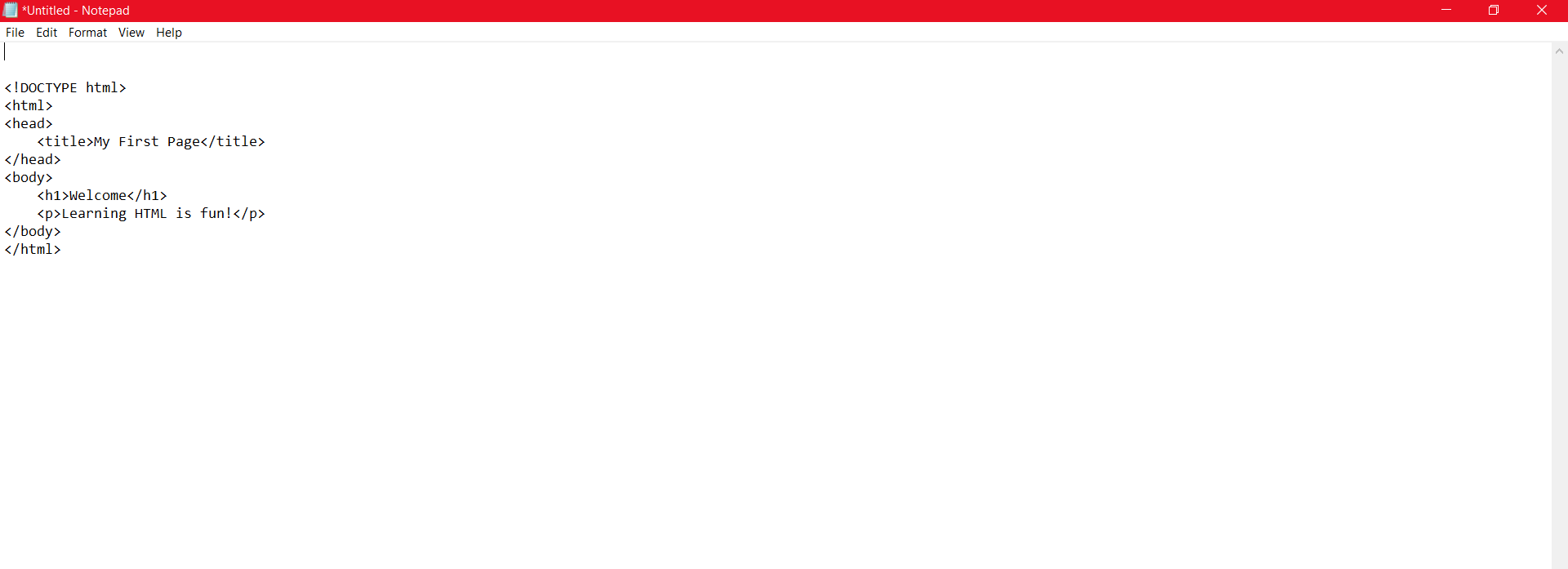
Step 2: Write Your First HTML Code
<!DOCTYPE html>
<html>
<head>
  <title>Page Title</title>
</head>
<body>

  <h1>Welcome</h1>
  <p>Learning HTML is fun!</p>

</body>
</html>
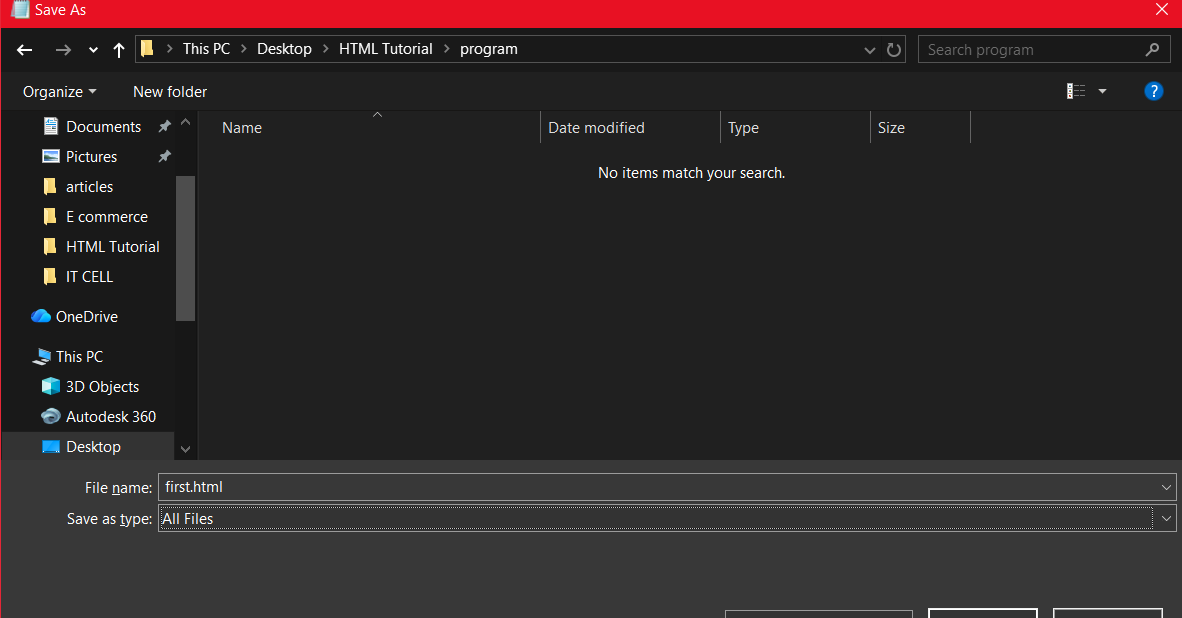
Step 3: Save the File
Save the file as first.html and choose All Files.
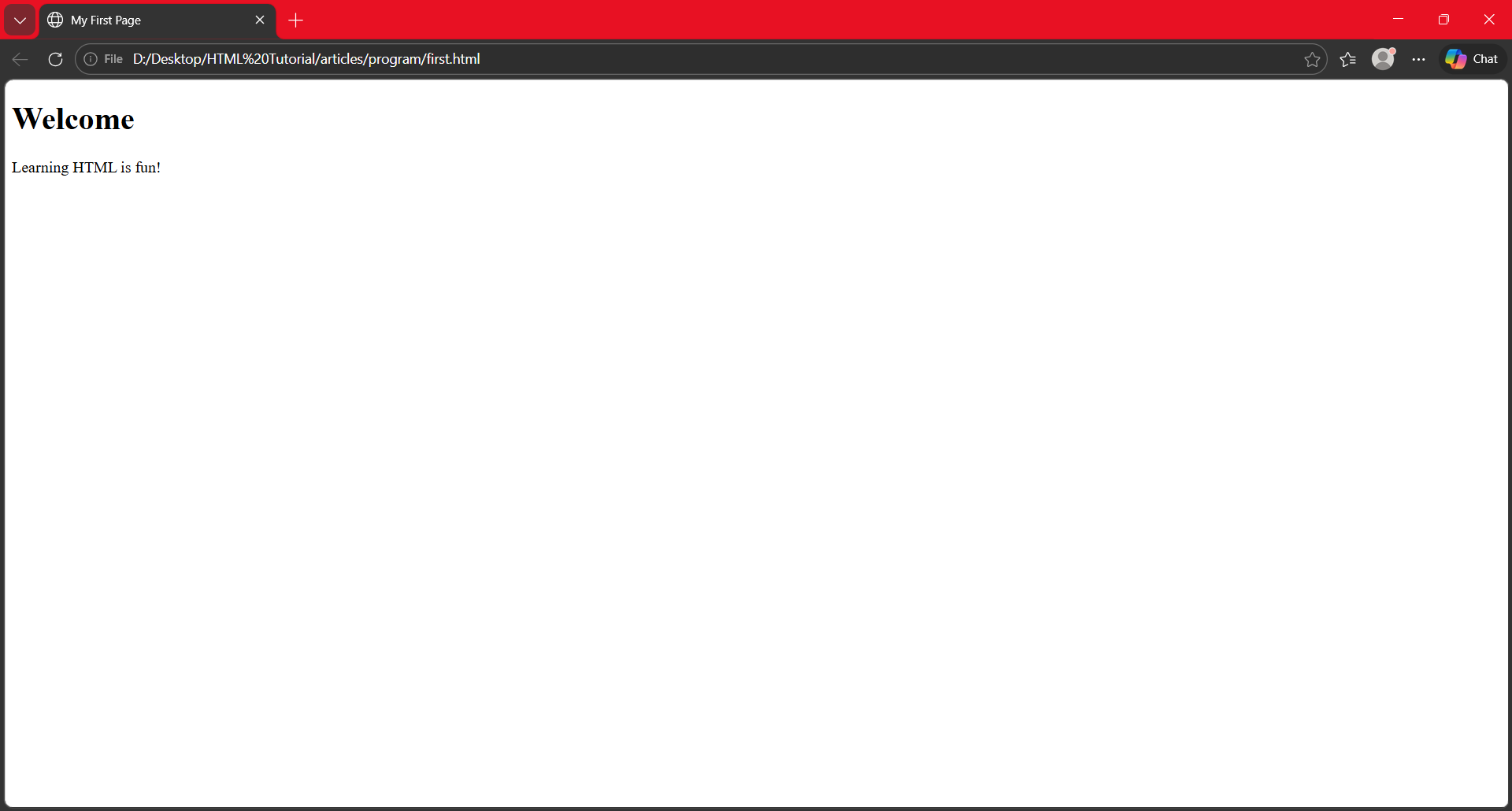
Step 4: Open in Browser
Double-click the file to see your webpage live in a browser.
<!DOCTYPE html>
<html>
<head>
  <title>Page Title</title>
</head>
<body>

  <h1>Welcome</h1>
  <p>Learning HTML is fun!</p>

</body>
</html>
Types of HTML Editors
1. Text Editors
These require manual coding and are best for learning.
2. Code Editors
Advanced tools with features like auto-complete and extensions.
3. WYSIWYG Editors
Visual editors where you design without writing much code.
Popular HTML Editors
| Editor | Type | Best For |
|---|---|---|
| Notepad | Basic | Beginners |
| Notepad++ | Text Editor | Lightweight coding |
| VS Code | Code Editor | Professional development |
| Sublime Text | Code Editor | Speed & performance |
| Dreamweaver | WYSIWYG | Design-focused users |
Features of a Good HTML Editor
- Syntax highlighting
- Auto-completion
- Error detection
- Live preview
- Plugin support
Notepad vs Advanced Editors
- Notepad: Best for learning basics
- VS Code: Best for real-world projects
Tips for Beginners
- Start with simple editors
- Practice daily
- Experiment with code
- Use live editors like Demon Editor